
Install the Windows DNS server and configure the following domains (refer to the IP addresses entered in General Settings):
-
activation.myovterra.com – OmniVista activation server URL. Mapped to the OmniVista Terra Main IP Address.
-
vpn.myovterra.com – VPN URL. Mapped to the VPN IP address.
-
myovterra.myovcloud.com – Omnivista Terra main URL. Mapped to the OmniVista Terra Main IP Address.
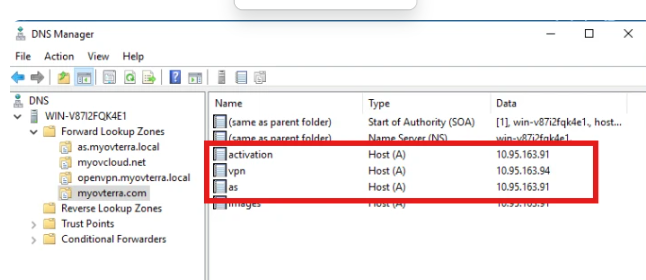
You can add more AAAA host records if you used the Dual-stack IP addressing mode.