
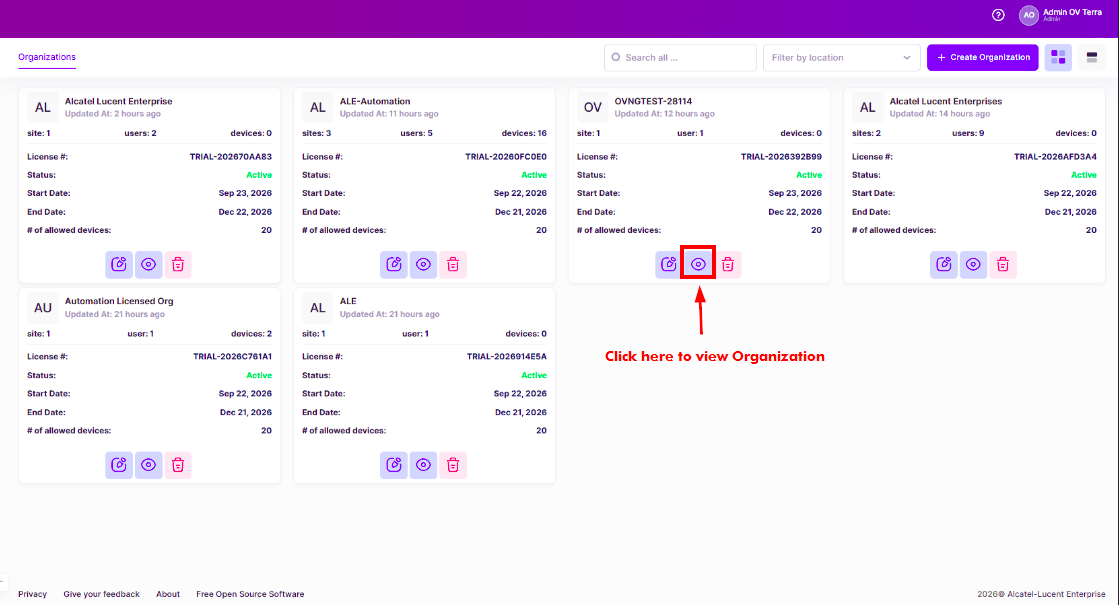
When an Organization is created, it is automatically authorized for a free, teaser period license. You can immediately access the Organization by clicking on the View Organization icon at the bottom of the Organization widget.
The dashboard for the Organization you want to view is displayed.
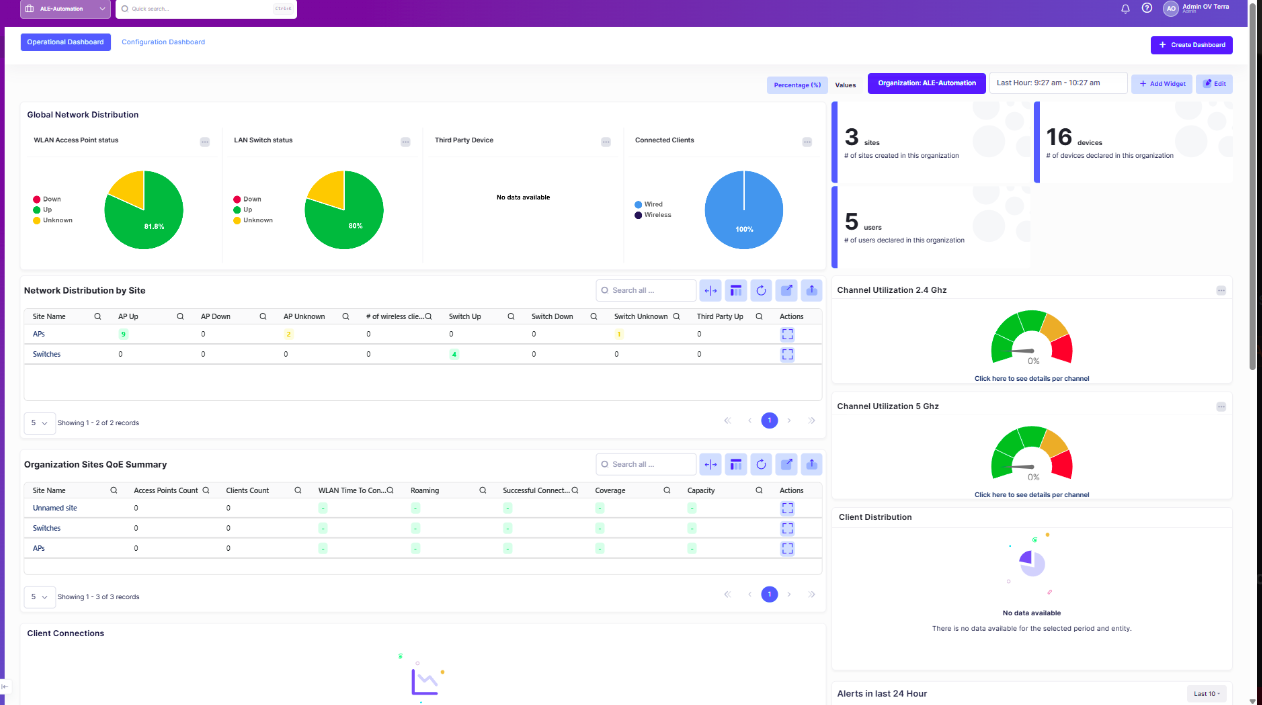
From the Organization Dashboard, you can create sites, buildings, and floors. You can also add devices, invite users to the Organization, manage Organization licenses, and monitor the Organization’s network.